
The easiest way to restart a previous plan or start a new one is through your donor portal by clicking on the bottom of your previous email receipt (there is a button called "Go to Donor Portal"), or click here!
This is where you can update your payment information, adjust donation amounts, view your receipts, cancel or pause your support, or in this case, restart or begin a recurring plan.
If you prefer to restart your former plan, click on ‘Show Outdated’ from the home screen. Once you see your previous plan, click ‘Reactivate’. I have included a sample below for reference. 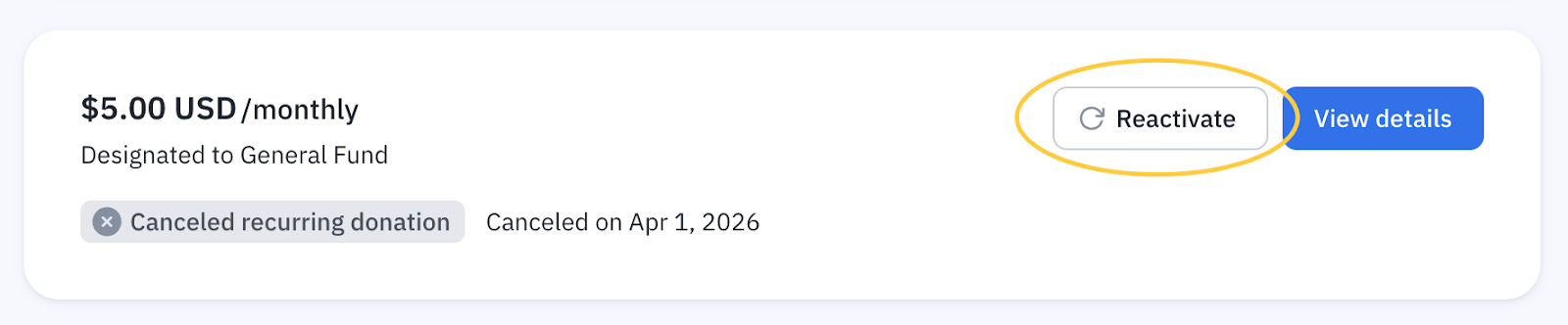
To begin a new plan, click 'Make a new donation' in the upper left corner. This will open a window where you can select the amount and type of donation. 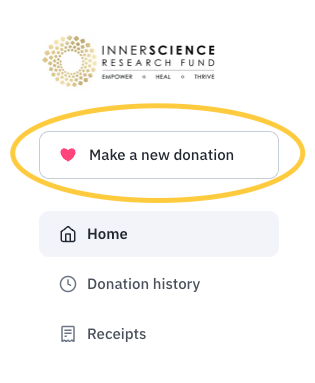
If you need any support with the process, simply reach out to our Customer Care Team HERE.